I bought and tested three UGREEN multiport GaN charger models to identify the best for both travel and everyday desk setups.
This article contains affiliate links and we may earn a small commission if you make a purchase through them. At no extra cost to you, this helps with the running costs of this blog.
Why I Switched to a Multi-Port GaN Charger
For a long time, I carried multiple chargers without really questioning it. One for my MacBook Pro, one each for my drone, camera and microphone charging case, another for my phone, and usually more for smaller devices like my watch or wireless headphones. It worked, but it was inefficient and unnecessarily bulky.
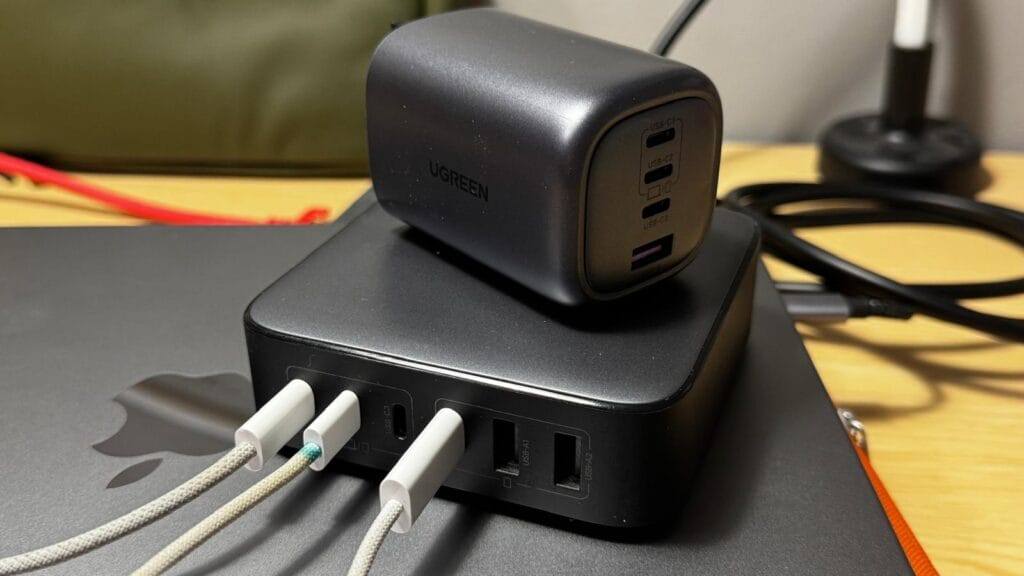
However, once I switched to a multi-port GaN charger with multiple USB-C and USB-A ports, the difference was immediate. Instead of juggling cables and plugs, I realised that I could power everything simultaneously from a single device. More importantly, I could finally use one charger for laptop, drone, camera, and my phone without compromising charging speed.
What makes this possible, however, is Gallium Nitride (GaN), a type of Wide Bandgap semiconductor technology. This relatively new tech enables a GaN charger to run cooler and handle higher power more efficiently, it can deliver serious output in a much smaller form factor than traditional silicon chargers. As a result, I was able to reduce both weight and clutter, especially when travelling.
From that point on, it became clear that the multiport GaN charger is not just a convenience upgrade. It fundamentally changes how you manage your devices, both at home and on the move.
Quick Tip: If you're in a rush, I've answered the most common compatibility questions in the FAQ section at the bottom of this review.
How I Use These Three UGREEN Chargers Day to Day
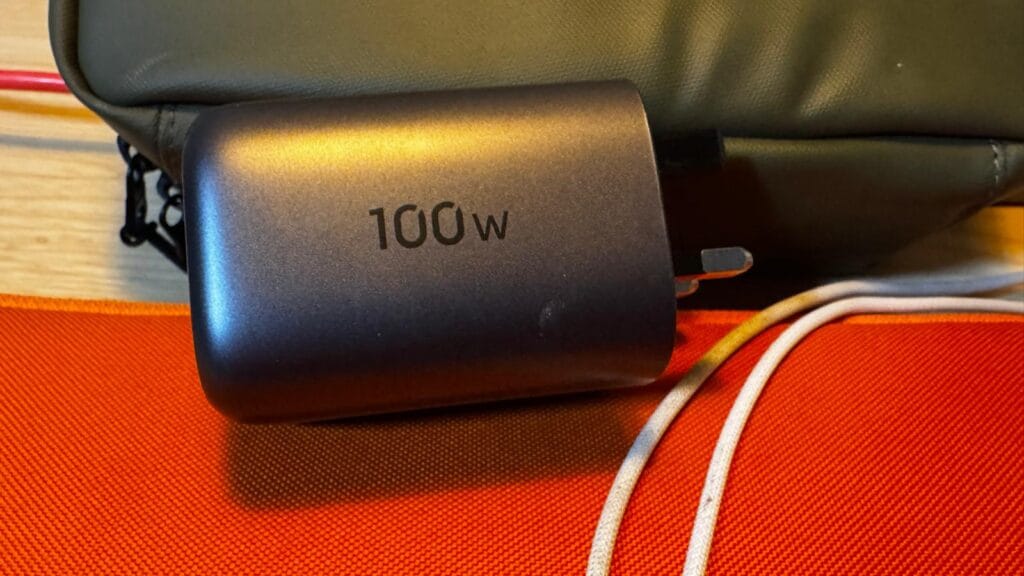
In practice, I do not use all three chargers in the same way. Instead, I have built a system around them, depending on where I am and what I am carrying. For example, I keep one 100w charger permanently in my home office desk socket. This has become my default GaN charger for home use, and it handles my MacBook Pro, iPhone, and smaller devices without any issue.
On the other hand, when I travel with more demanding gear, I switch to a higher output 200W GaN charger with a detachable cable, which makes packing easier. This is particularly useful when I bring a MacBook Pro, phone, and my creator kit electronics and battery packs, as it acts as a true multi-device charger.
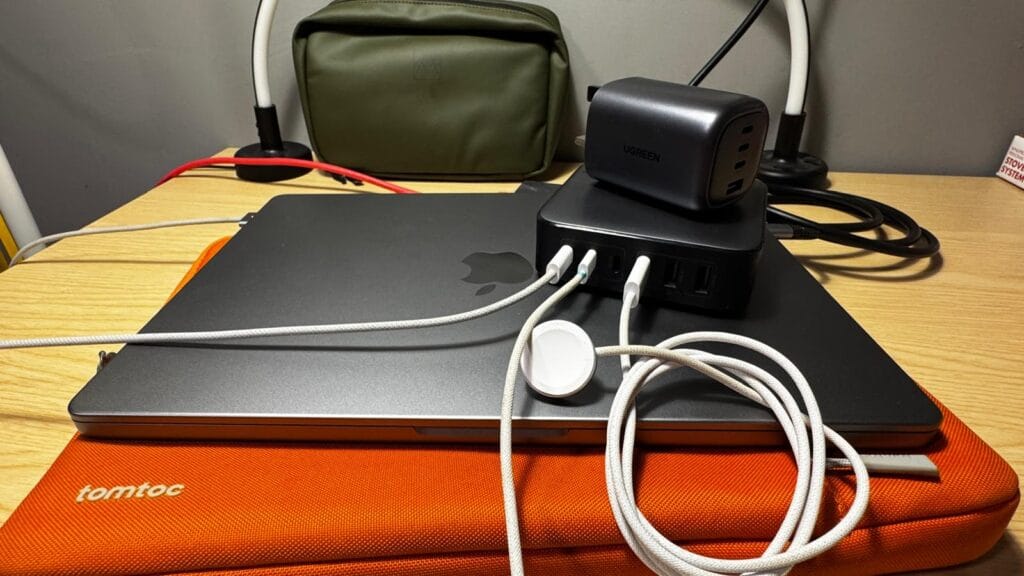
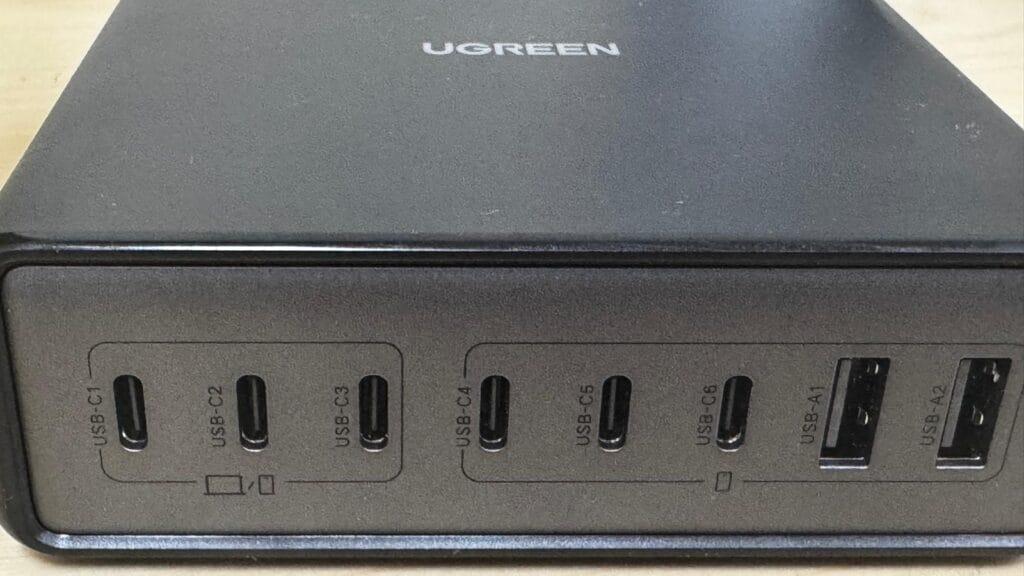
Meanwhile, the third charger stays on my office desk. Here, it functions as my main USB-C charger hub for multiple devices, powering everything from my workstation setup in one place. As a result, I always have the right level of power available, without needing to constantly swap chargers in and out.
The green Stubble&Co Bag in the background is what I use day to day and reviewed for my dedicated tech gear. The orange sleeve complimenting my MacBook Pro in the foreground is my reviewed tomtoc 360 / tomtoc A-13 Defender corner armour sleeve.
Best GaN Charger for Travel: 4‑Port vs 6‑Port UGREEN
When it comes to travel, the choice between a 4-port and 6-port charger is more important than it might seem.
Initially, I preferred the 4-port model because it seemed to be smaller and easier to pack. For shorter trips or lighter setups, where you know there will be a desk or similar to sit devices on. Then it works perfectly as a travel multiport GaN charger for multiple devices.
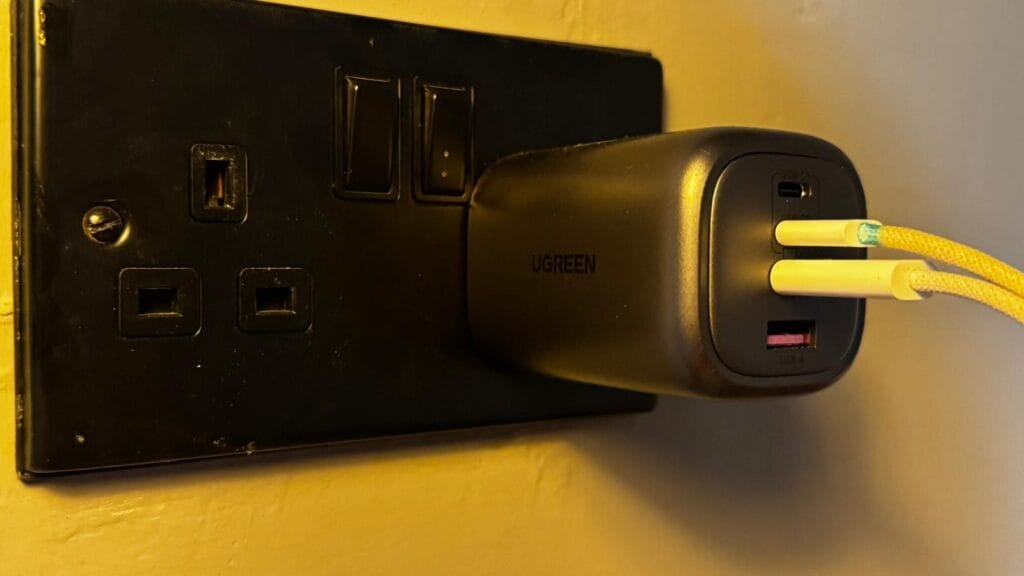
However, once I started travelling with more equipment, the limitations became clear. Although, at that point, the 6-port version proved far more practical. Not only does it offer more flexibility and with its detachable cable. Its actually easier to pack because it is flatter, but it also functions as a proper multi-device travel GaN charger when needed.
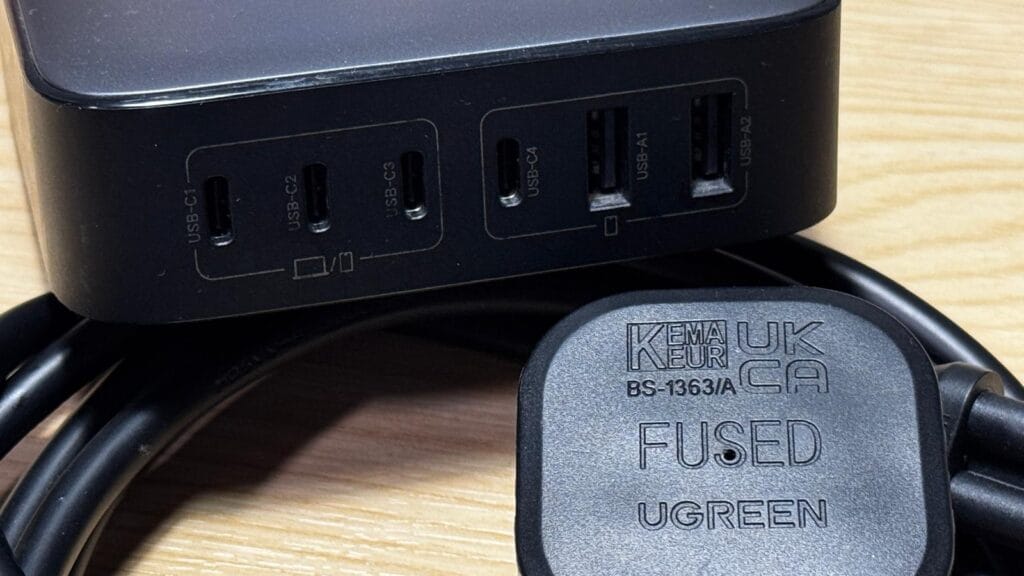
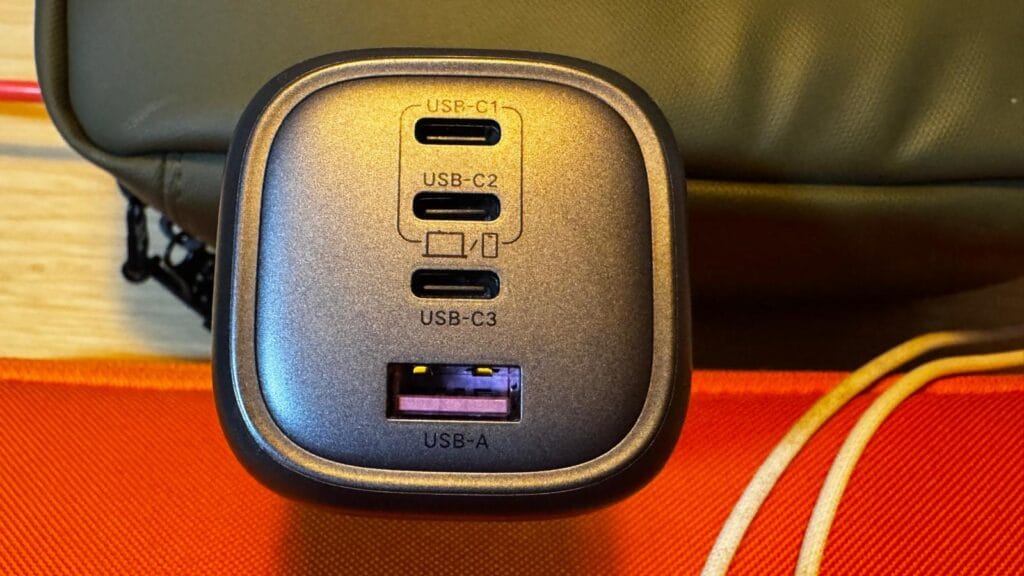
In contrast, the 4-port requires more prioritisation, not least because its pretty heavy for its size. You often have to decide what charges first because there is only two slots capable of higher output. If using both, this is further restricted by 100w of power. With the 6-port, that trade-off disappears because you have 200w and three slots for Laptops/MacBook's/Phones.
So, if you are deciding on the best multi-port GaN charger for travel, it really comes down to how much gear you carry. Personally, I now lean towards the 6-port because it removes friction completely, the longer power cable adds further flexibility than the compact 4-port plug and they are of similar weights. Essentially the 6-port packs flatter with its detachable cable than the compact rectangular mass of the 4-port.
When a 200W GaN Charger Actually Makes Sense
At first, I assumed a 200W GaN charger was more about marketing than real-world need. On paper, it sounds excessive, especially if you are used to charging one or two devices at a time. However, that assumption does not really hold up once you start using one in a multi-device setup.
In my case, the turning point came when I began travelling and working with more equipment at the same time. Instead of just a phone, I often had all my creator gear, and smaller accessories all competing for a recharge. Under such conditions, a single port low-wattage USB-A fast-charger or a single port USB-C brick quickly started to feel restrictive. Because of this I was constantly deciding what gets priority, and/or whether there is enough sockets on the wall.
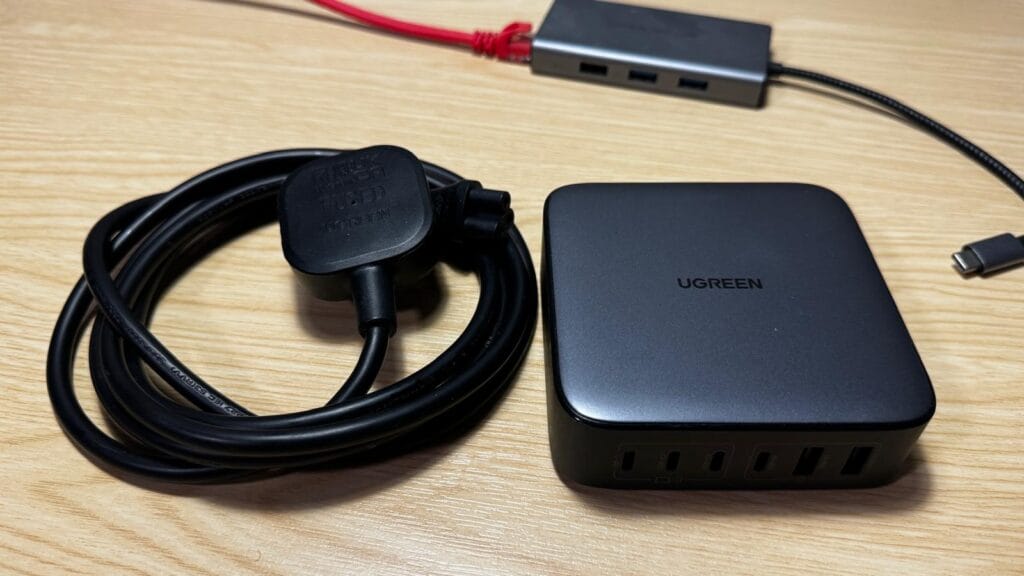
By contrast, a high wattage USB-C charger removes that friction entirely. I can plug everything in and let it charge simultaneously, without noticing any drop in performance. That is where the real value lies. It is not just about power, but about consistency and simplicity.
So when people ask, can one charger power everything, the answer is that it depends on the wattage. With a properly designed 200W GaN charger, I have found that it genuinely can. Provided your devices support USB-C or USB-A power delivery (most modern devices do).
That said, it is not essential for everyone. If your setup is relatively light, you will not see the same benefit. However, if you regularly carry multiple high-demand devices, perhaps you just want faster charging or you are travelling as a family. In these cases the difference is immediate! Therefore, from my experience, it's difficult to give up once you get used to not needing every plug for every device.
Best Desk GaN Charger for Power Users and Home Offices
While the travel benefits are clear, the biggest day-to-day improvement for me has actually been at my desk. Before switching, I had a mix of chargers plugged into different sockets, which worked, but always felt slightly chaotic.
Once I introduced a dedicated best desk GaN charger, everything became more streamlined. Instead of spreading devices across multiple power outlets. I can now run a single USB-C GaN charger from one socket, that handles my entire workflow setups power needs. Including charging battery packs for a commercial drone.
What makes this particularly effective is how it replaces other solutions. In many ways, it functions as a charging station alternative GaN, but without the bulk or complexity of a traditional dock. I still get the benefit of centralised charging, just in a much more compact and efficient form.
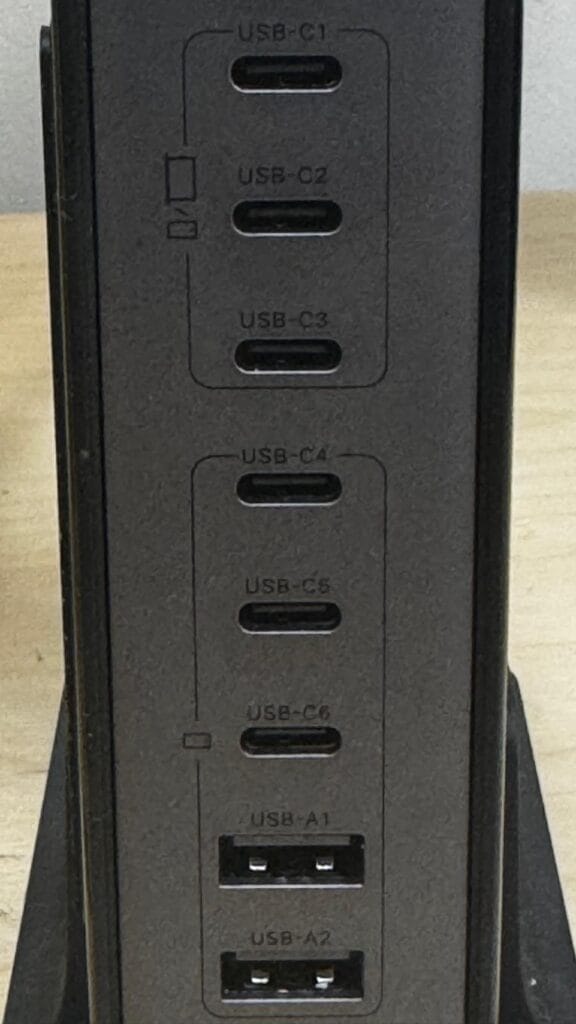
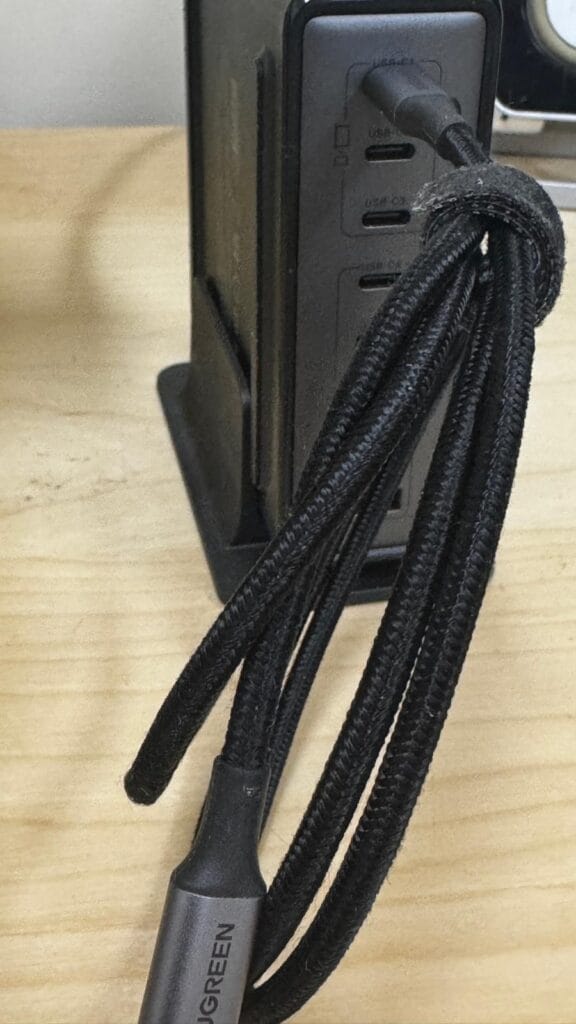
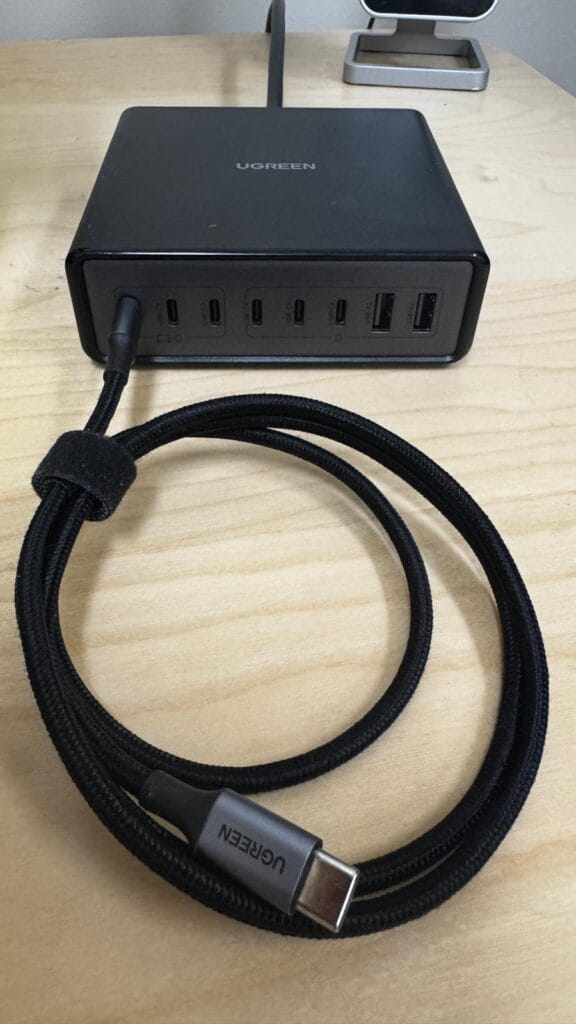
As a result, my desk stays cleaner, and I spend less time managing cables. More importantly, I no longer have to think about where to plug things in. Everything simply connects to one unit and works as expected.
For anyone running a home office or a multi-device setup, this is where a multi-port charger arguably delivers the most value. It is not just a power solution, but a practical upgrade to how your workspace functions.
6‑Port vs 8‑Port Charger: Which One Do You Actually Need?
Deciding between a 6-port and 8-port charger is less about specifications, and more about how you actually use your devices.
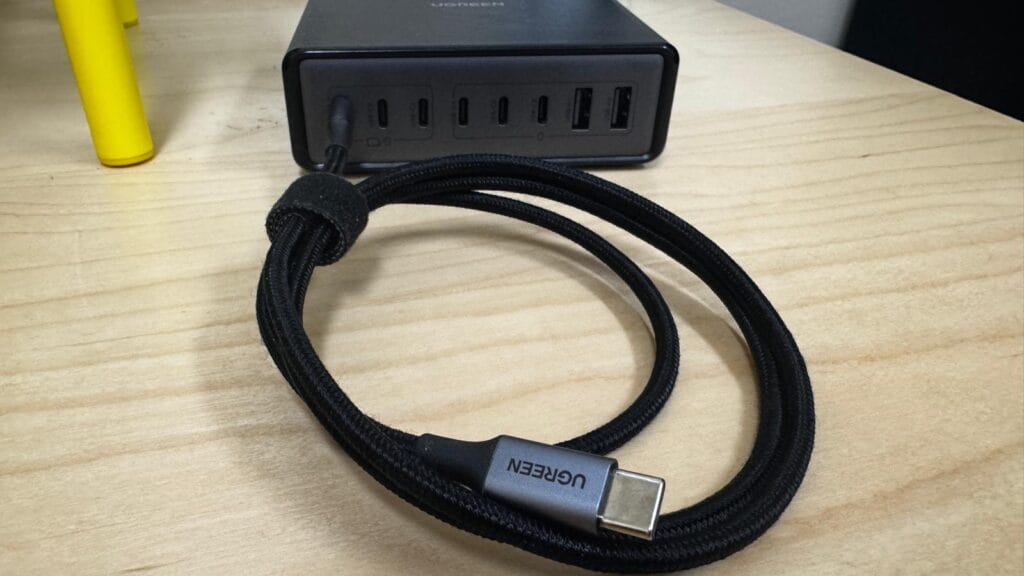
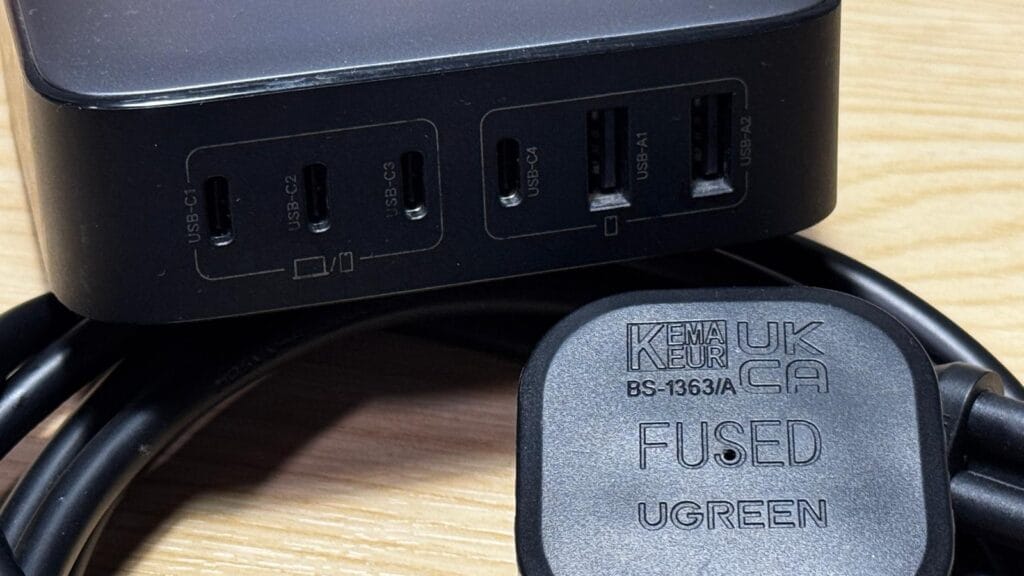
From my own experience, the 6-port model strikes a very comfortable balance. It offers enough flexibility to handle a typical mix of devices, while still remaining portable enough to move between locations. Because of that, it works well as both a travel option and a temporary desk solution.
However, once you move into a more permanent setup, the 8-port model starts to make more sense. The difference is not just the additional ports, but the complete removal of limitations. With an 8-port office multi-port USB-C charger, I no longer need to think about what is plugged in, or overheating. I need not think about whether I have enough capacity for charging ports available.
This is where the idea of one charger for laptop, phone, and iPad/tablet, camera, battery packs and drone becomes fully realised. Everything stays connected, and everything charges without compromise.
If you just want the bottom line, skip ahead to my verdict.
That said, the trade-off is size and portability. The 8-port charger is clearly designed to stay in one place, whereas the 6-port gives you more flexibility if you move around frequently. I took the I took my 6-Port on a trip to Asia, where I used it in Philippines, Malaysia and Hong Kong without issue. I only required a single travel adaptor, not multiples of those either.
In practical terms, if you want a single charger that can do a bit of everything, the 6-port is the safer choice and this is my go-to, even for travelling long haul. If you are building a fixed setup and want maximum convenience, the 8-Port is the more complete solution, this one remains on my desk permanently.
Pros and Cons of Reviewed Multi port GaN Chargers After Real Use
After using all three chargers over an extended period, the strengths become quite clear, but so do a few limitations.
On the positive side, reliability has been consistent across the board. Each multi port USB-C charger delivers stable power, even when multiple devices including MacBook Pro, Drone, iPhone, and Camera are all connected, and I have not experienced any overheating issues during normal day to day or overnight use such as with my watch, iPhone and MacBook Pro connected. That level of consistency is important, especially when you rely on a single charger for everything.
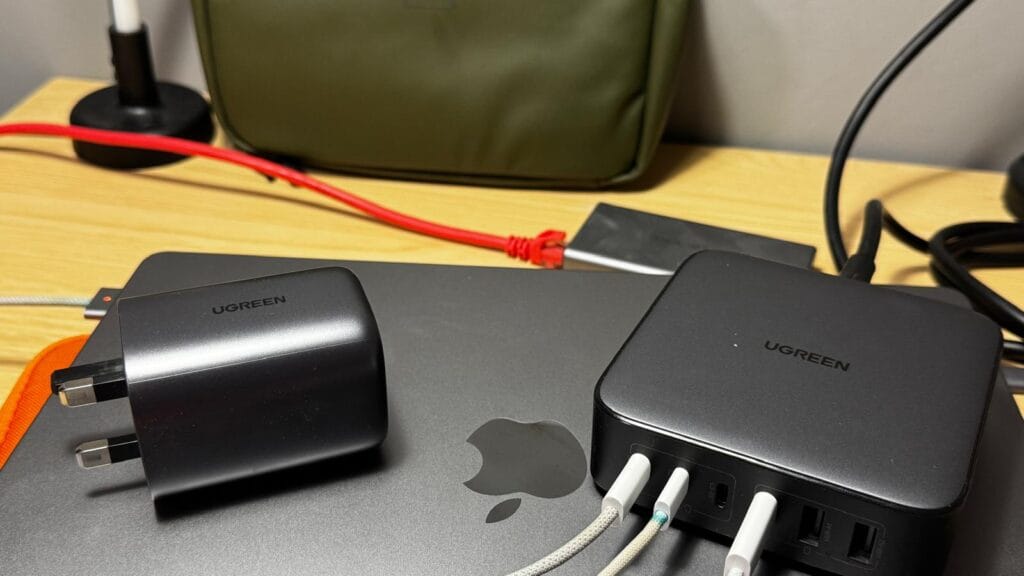
In addition, the flexibility they offer has genuinely changed how I manage power. Whether I am travelling or working from home, I can adapt my setup without needing different types of chargers. I can just take cables and a couple of backup cables, as a result, that continuity makes the overall experience feel much more streamlined. I also noticed it's far less weight to carry since my 96w MacBook charger only has one USB-C port.
Cons: I have not found any yet!.
Efficiency of a Multi port GaN Charger
Efficiency is another key advantage with a 200W GaN charger, I can run multiple devices from a single socket. This is particularly useful in places where outlets are limited, such as hotels or shared workspaces.
However, there are some trade-offs to consider. The larger models, especially the 8-port version, are not particularly travel-friendly. While they excel in a fixed setup, they are less practical if you need something compact, plus its pretty heavy. Similarly, not everyone will benefit from a high wattage USB-C charger. If your usage is relatively light, the additional capacity may go unused, which makes it harder to justify 8-ports, you may be better with 4-ports.
Overall, though, if you regularly charge multiple devices, the advantages are significant and, in my experience, outweigh all the downsides.
Which UGREEN Multi port GaN Charger Should You Buy?
Choosing the best multi port GaN charger ultimately comes down to how you intend to use it, rather than simply picking the highest specification.
If your priority is travel, then a smaller unit will usually make more sense. A compact GaN charger for travel allows you to charge multiple devices while keeping your setup lightweight and manageable.
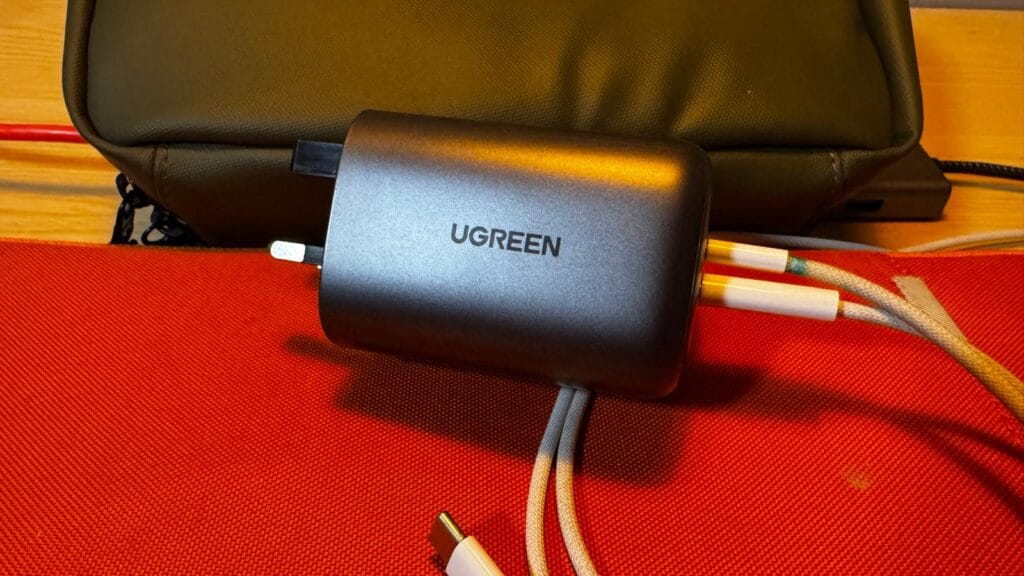
If, however, you need something more versatile, the 6-port model offers a strong middle ground. It works well across different environments and functions effectively as a multi-device laptop charger, whether you are at home, on the move or travelling with extra gear.
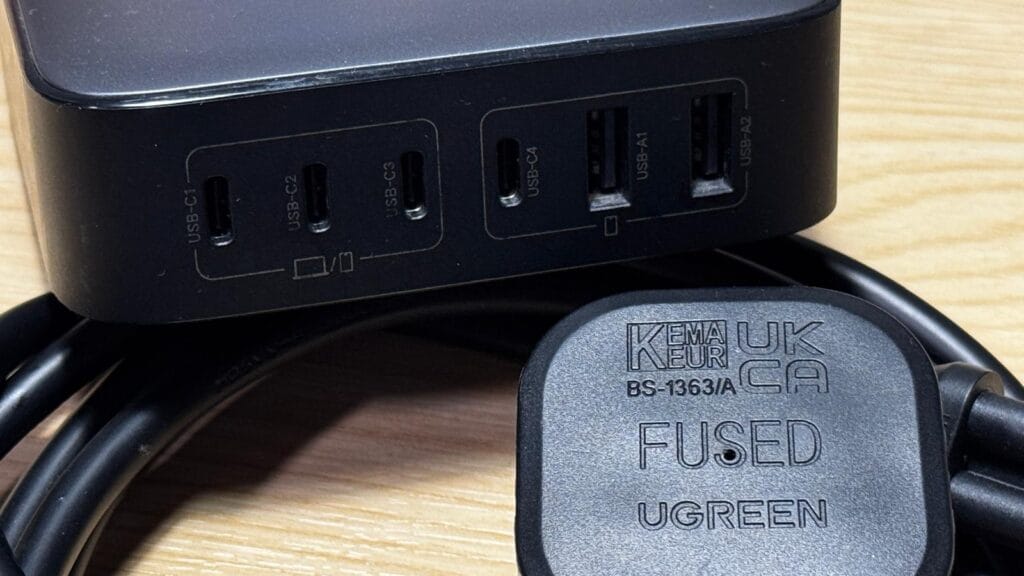
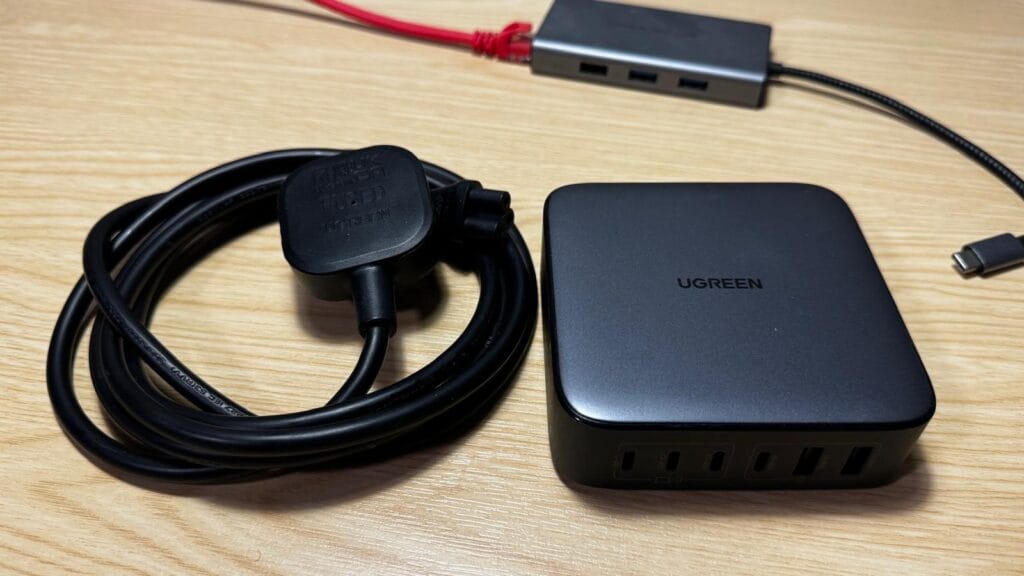
On the other hand, if your focus is a permanent setup, the 8-port charger stands out as the most capable option. It acts as a complete USB-C charger for multiple devices, replacing several individual chargers and simplifying your entire workspace.
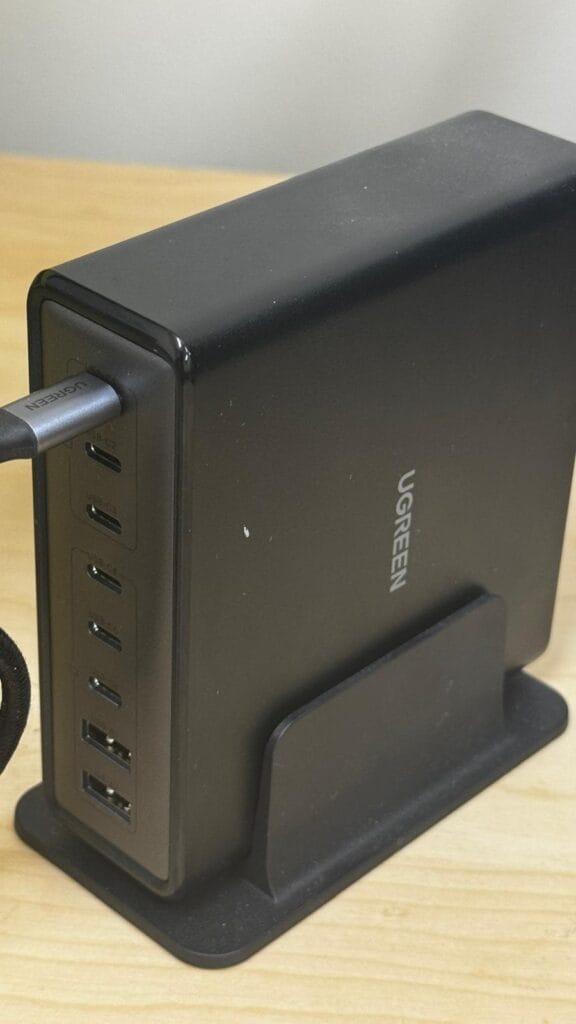
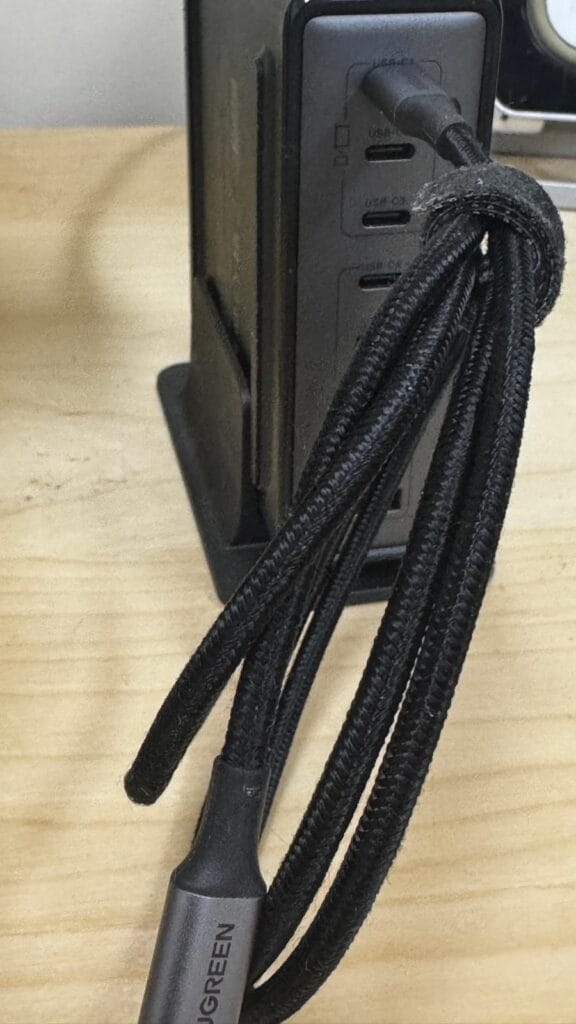
In practical terms, if you are aiming for a setup where one charger for laptop, phone, and tablet is genuinely achievable, the higher wattage models deliver the best experience.
Verdict
From my own perspective, having used all three, each serves a clear purpose. However, if I had to choose just one, the 6-port model offers the best balance. It provides enough power (200w) for demanding use, while still remaining flexible enough to take anywhere, and I can have my devices closer to me whilst it's plugged in a metre away.
FAQs
Yes, a 200W+ model handles both easily. However, you need to be careful about which ports you use simultaneously to maintain full speed.
Yes, they are cooler and more compact than silicon bricks. One huge advantage I found for travel is the detachable cable design, which solves a major problem with heavy silicon wall bricks.
While Apple's 96W brick is limited to one port, the UGREEN version offers 6 ports at a similar weight. I’ve broken down why the weight-to-port ratio makes it a better value for desk setups.
No, they are often faster due to the GaN tech. The real “pro tip” is how they manage power across multiple devices at once, which I explain in the review.
Yes. I’ve successfully powered my MacBook Pro, Drone battery pack, iPhone, and DJI Mic 2 kit all at once. You can see my full travel gear list and how I plug them all in above.