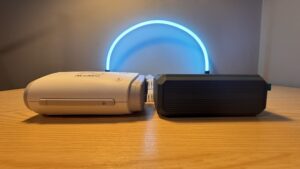
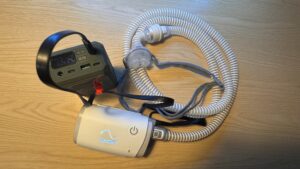
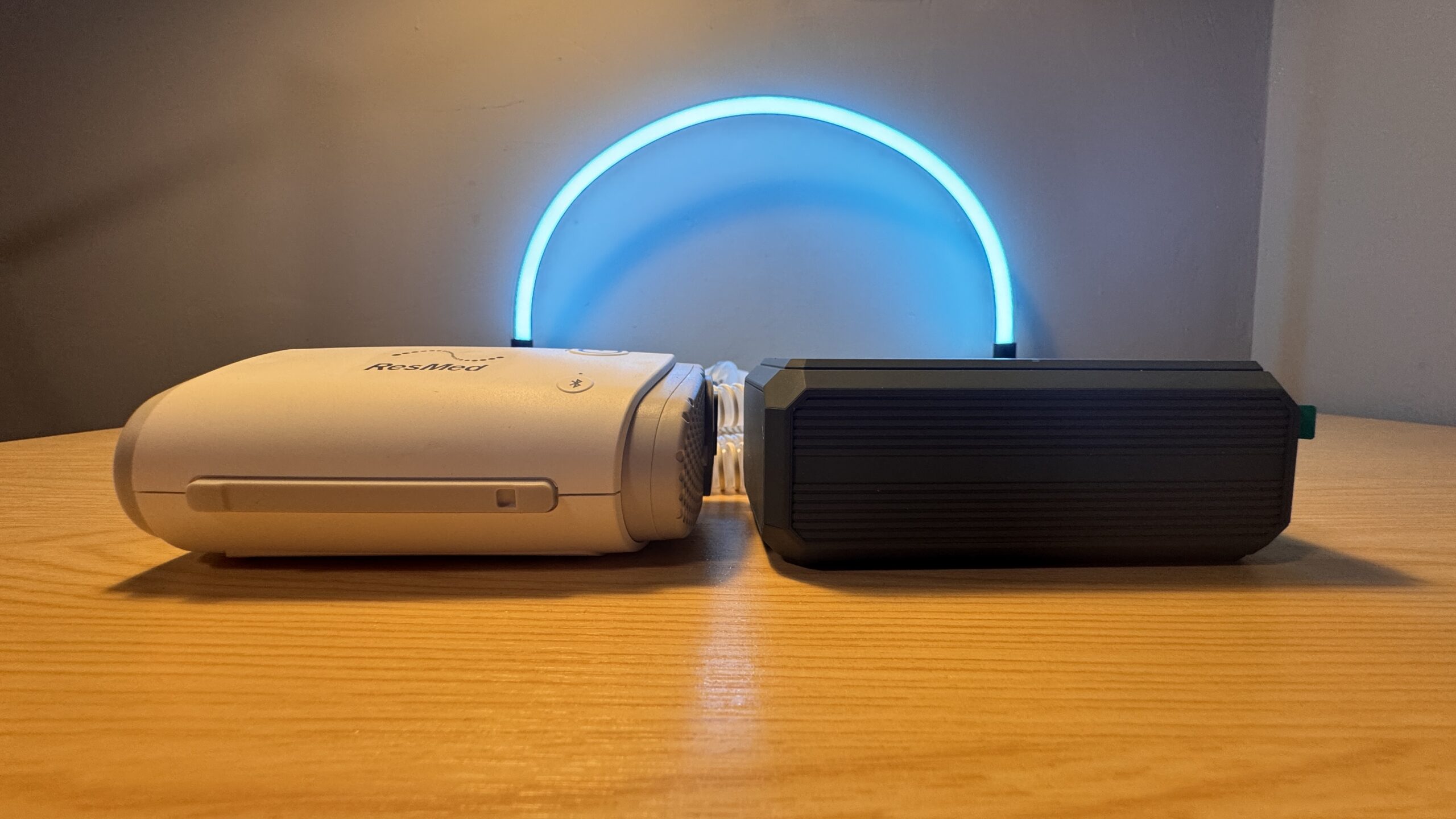
At 99.9 Wh, the Easylonger ES270 CPAP battery sits just under the 100 Wh limit for flying without airline approval. I tested it with both of my machines, so every runtime and charging figure below is my own. I ran my ResMed AirSense 10 AutoSet on it at home, and my ResMed AirMini while away at a conference.
This article contains affiliate links and we may earn a small commission if you make a purchase through them. At no extra cost to you, this helps with the running costs of this blog.
Easylonger sent me the ES270 to test, but they did not pay me for this review. I already owned two of their batteries, the EL240, which is now discontinued, and the ES400 Air.
What You Get With the Easylonger ES270
According to Easylonger, the box holds four DC cables for ResMed, Philips and Luna machines. Between them, they cover the AirSense 10 and 11, the AirMini, the DreamStation and the Luna TravelPAP. It also comes with a USB-C wall charger, a USB-C to USB-C cable and a storage bag.
| ES270 | Specification |
| Capacity | 99.9 Wh (22.2V, 4,500 mAh) |
| DC output | 12V at 5A, 19V at 3.5A, 24V at 3.5A |
| USB-C input | Up to 20V at 3A (60 W) |
| DC input | 12V to 24V, 72 W max |
| USB-C output | Up to 20V at 5A (100 W) |
| Second USB-C output | Up to 12V at 2.5A (30 W) |
| USB-A output | Up to 22.5 W |
| Wireless charging | 10 W |
| Weight (my scale, without cables) | 1.34 lb (606 g) |
Specifications from the ES270 box. My weighed figure is in line with the 1.3 lb Easylonger lists.
Setting the Voltage on the ES270
Before you connect anything, check the label on your own CPAP machine, because the ES270 offers 12V, 19V and 24V. My AirSense 10 and AirMini both need 24V, while some machines, such as the Philips DreamStation Auto, run on 12V.
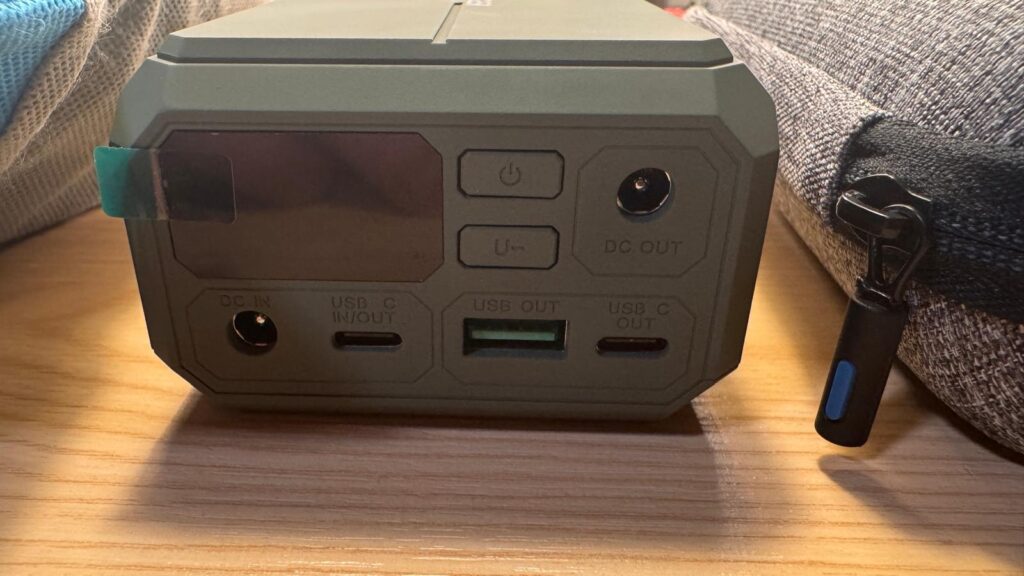
To set it, I hold the U button for three seconds to switch the DC output on. Then each short press steps through the voltages, from 12V to 19V and then 24V, where I stop. Once it reaches 24V, I plug the DC cable into the back of the AirSense 10 and start my therapy.
The One Thing I Would Change About the ES270 DC Cable
My AirSense 10’s own mains power cord clicks firmly into place, but the DC cable’s plug from the ES270 does not. It could be a one off, and it is a minor point, but it feels as though it could pull out if I knocked it while asleep. For that reason, keep the battery and machine on a flat surface where nothing pulls on the cable.
How Long the ES270 Ran My CPAP Machines
From a full charge, the ES270 ran my AirSense 10 AutoSet for two nights, of 6.5 hours and 7 hours. That is 13.5 hours in total, which works out at roughly 7.4 W. The same battery then ran my AirMini, fitted with a HumidX, for four nights of 6.5 hours each. That adds up to 26 hours, or roughly 3.8 W, so the AirMini used about half the power.
| Machine | Setup | Runtime | Average draw |
| ResMed AirSense 10 AutoSet | No humidification | 13.5 hours (6.5 + 7) | About 7.4 W |
| ResMed AirMini | HumidX, no water | 26 hours (4 × 6.5) | About 3.8 W |
Both machines are set to a 5 to 20 cmH2O range with a 5-minute ramp. My average pressure came out at 10.5 cmH2O on the AirSense 10 and 10.6 cmH2O on the AirMini. Therefore, the two results compare directly, and neither machine ran water humidification. The HumidX on the AirMini is passive, so it draws no power at all.
For comparison, Easylonger’s ES270 page gives “About 1 night”, based on 8.4 W. That figure assumes “an AirSense 10 at 6 cmH2O, humidifier and heated tube off, 8 hours a night.” My AirSense 10 averaged about 7.4 W at a higher average pressure, so Easylonger’s estimate was cautious for my setup. However, your pressure, mask fit and settings will change your own numbers, so test it at home before a trip.
Using the ES270 as a Power Outage Backup at Home
At home I sleep on my AirSense 10, because my sleep clinic gets my therapy data from that machine. During a power outage at home, I once woke up unable to breathe and realized the power was out. I plugged my AirSense 10 into the DC port of my ES400 Air and went back to sleep. With pass-through, the battery is already connected, so the machine keeps running without waking you.
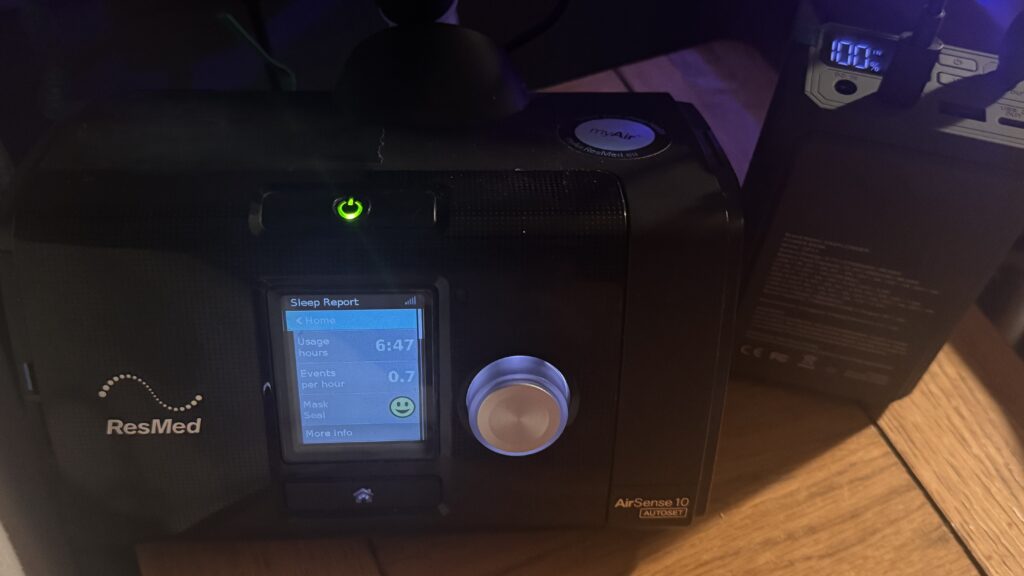
Therefore, I used the AirSense 10 to test pass-through charging, where the ES270 runs the CPAP while charging from the wall. I left the battery on its wall charger with the AirSense 10 connected, then went to sleep. In the morning, the machine showed 6 hours 47 minutes of use, and the ES270 still read 100%. Moreover, the display still showed IN, so it was taking power from the wall, and the socket was not warm.
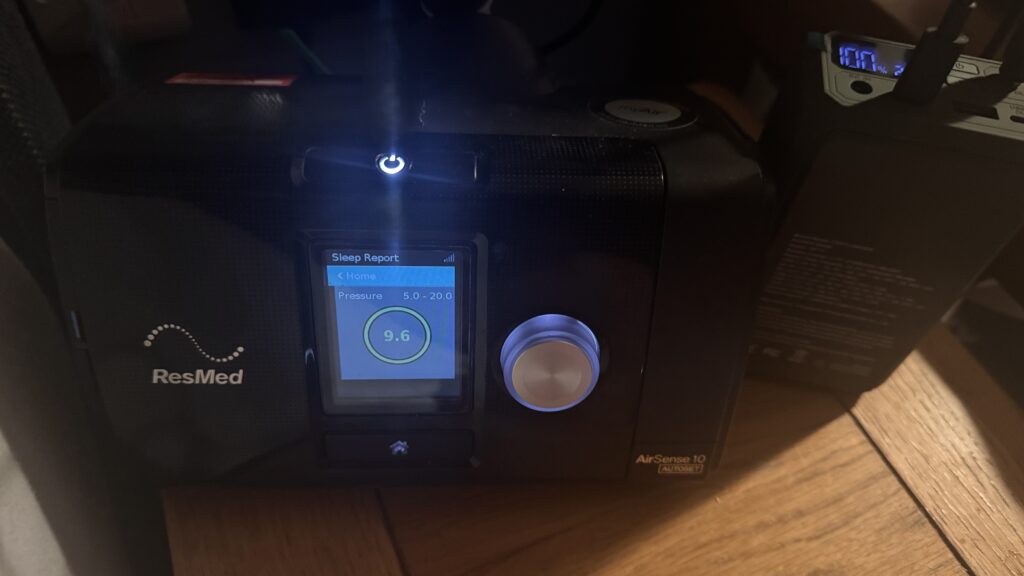
Then came the real test, because a backup only matters when the power goes off. With the AirSense 10 still running, I switched the socket off at the wall. The machine kept delivering pressure at 9.6 cmH2O, and the ES270 stopped showing IN. In other words, the battery took over the moment the wall power stopped, which is what a backup is for.
Recharging the ES270
After my AirMini testing, my ES270 still held 47%, so I recharged it on the charger Easylonger supplies with it. It showed 100% within 75 minutes and finished charging at 87 minutes. The display flashes while it charges, and it kept flashing for at least 12 minutes after showing 100%. Therefore, wait for the flashing to stop if you want a truly full battery.
The ES270 charges over USB-C, so I can also top it up from my UGREEN 100W or 200W GaN chargers which stay cool to the touch while charging. As a result, at home I can plug it into a spare port on my 100W compact GaN charger and when I travel, I take a 200W multiport GaN charger with me for more charging flexibility for all my devices.
This saves both weight and packing an extra single port charger block. Plug the charger into the ES270’s USB-C IN/OUT port, because its other USB-C port is OUT only and charges devices. I go into multiport chargers in more detail in my multiport GaN charger review.
Flying With the Easylonger ES270
The ES270 sits under the 100 Wh threshold, so the FAA, EASA and UK CAA rules require no airline approval. Like any spare lithium battery, it must travel in your carry-on, never in a checked bag. However, some airlines set stricter limits than the FAA, EASA and CAA, so check your own airline before you fly.
Whether a CPAP battery counts as a power bank under the March 2026 rules is a separate question, which I cover in my CPAP battery and power bank rules post. In addition, my CPAP travel guide covers the rest of the trip.
Would I Recommend the Easylonger ES270?
I recommended Easylonger batteries on Reddit to people asking about home backup and CPAP batteries before I had a partnership with them. This test backs that up, because the ES270 switched to battery when I cut the wall power. It also ran my AirMini for 26 hours and still flies without airline approval under FAA, EASA and CAA rules.